Reading a process map
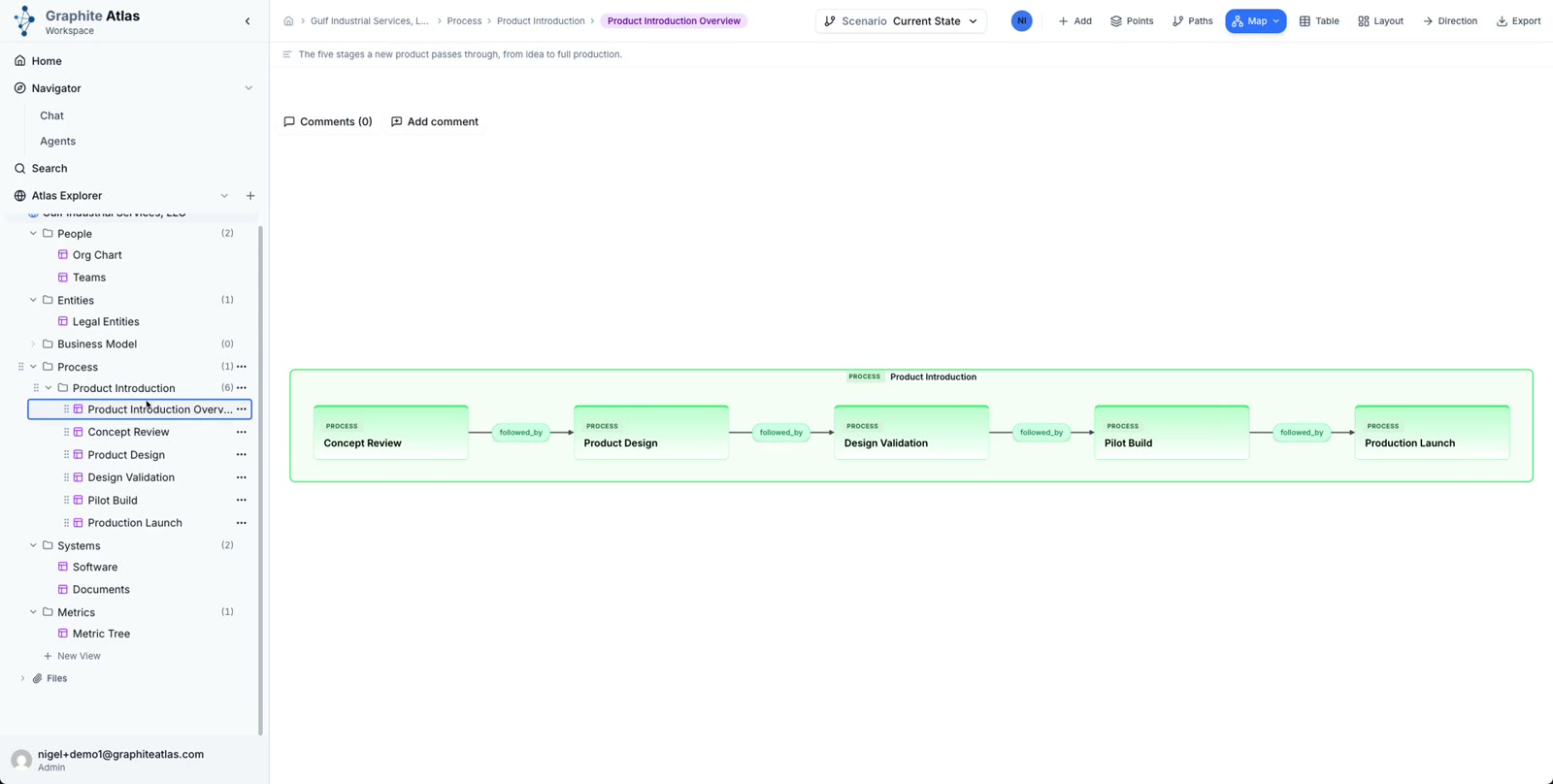
Open Process > Product Introduction > Product Introduction Overview to see the stages end to end.
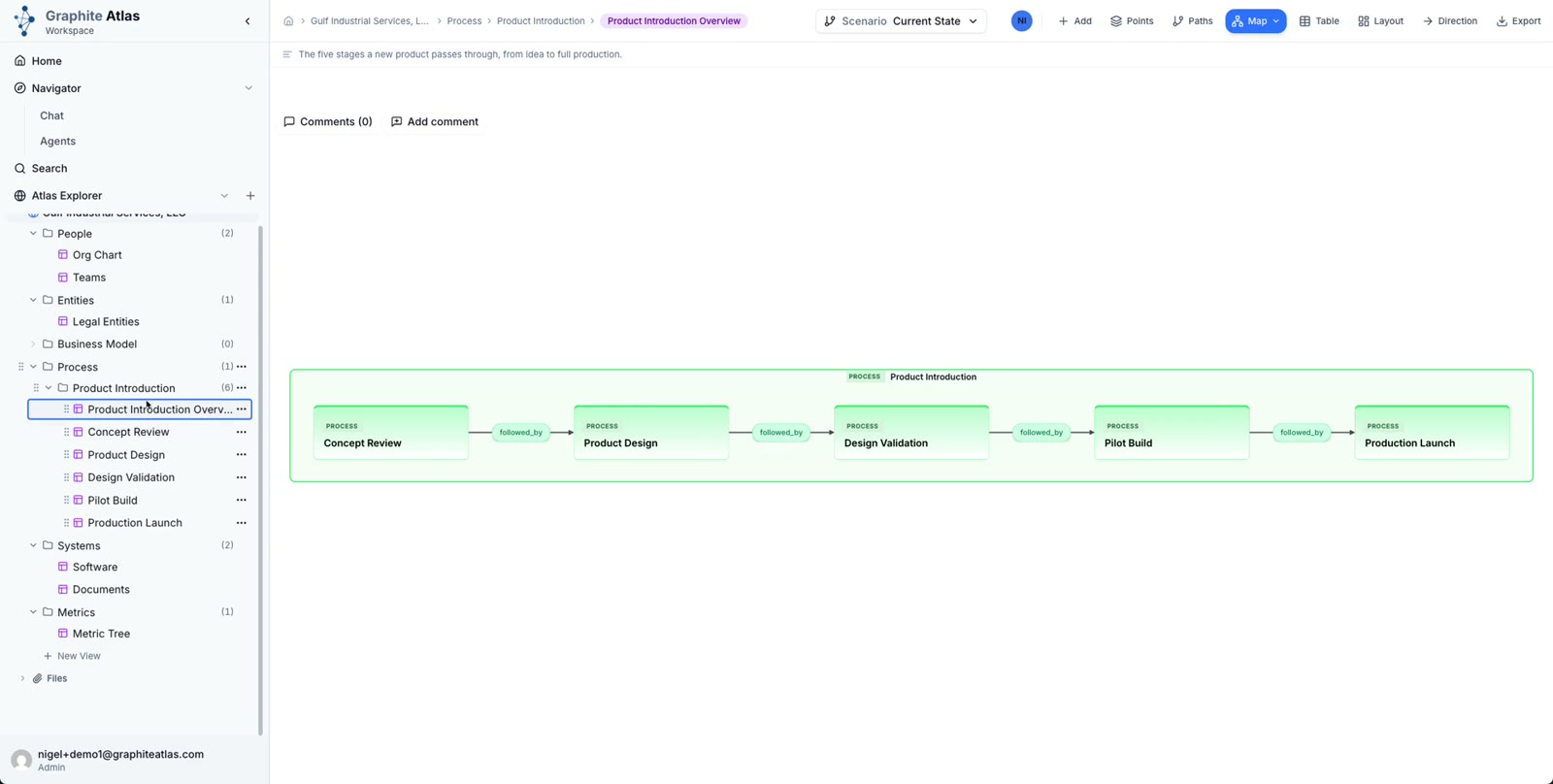
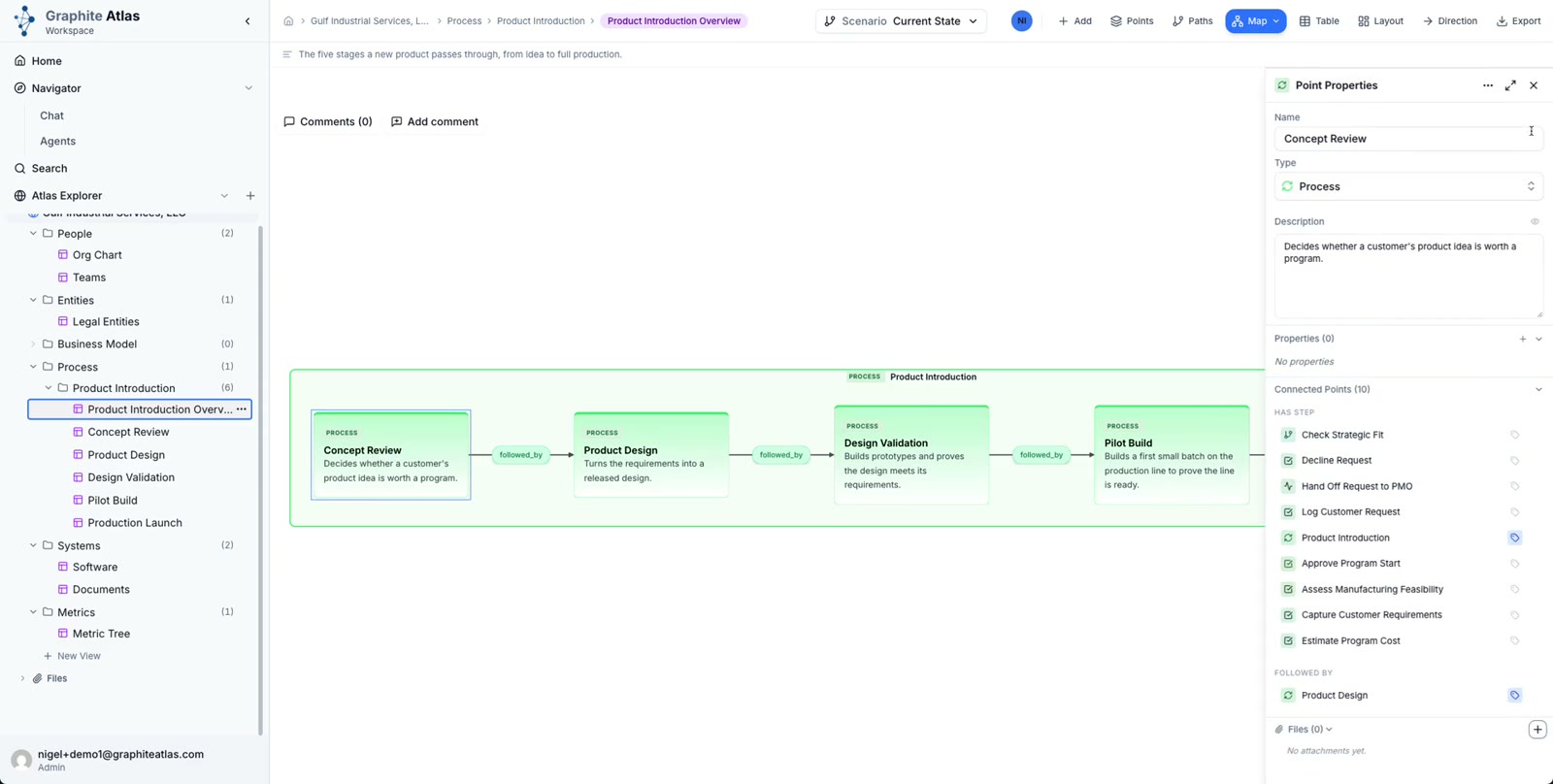
Open a stage's card to read what it covers.
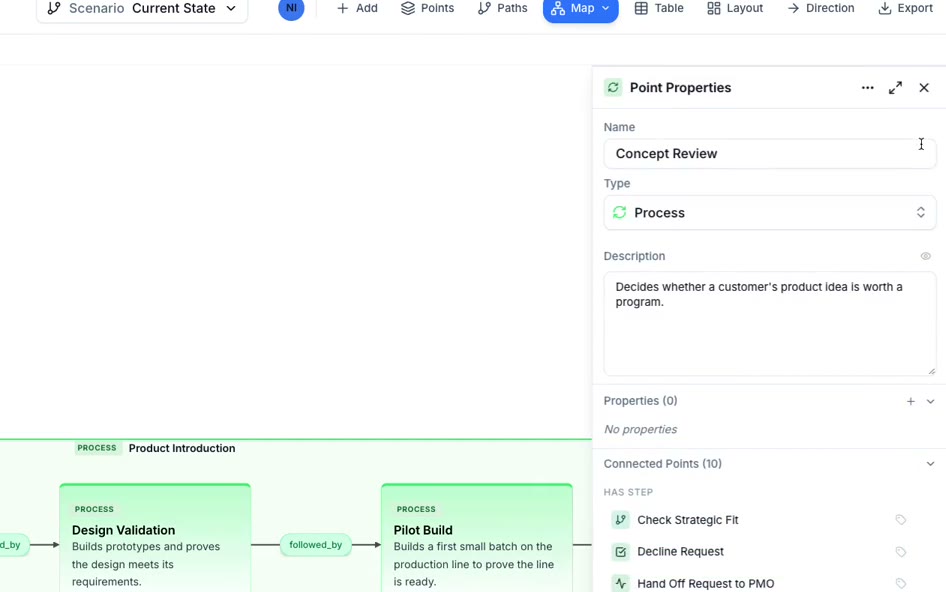
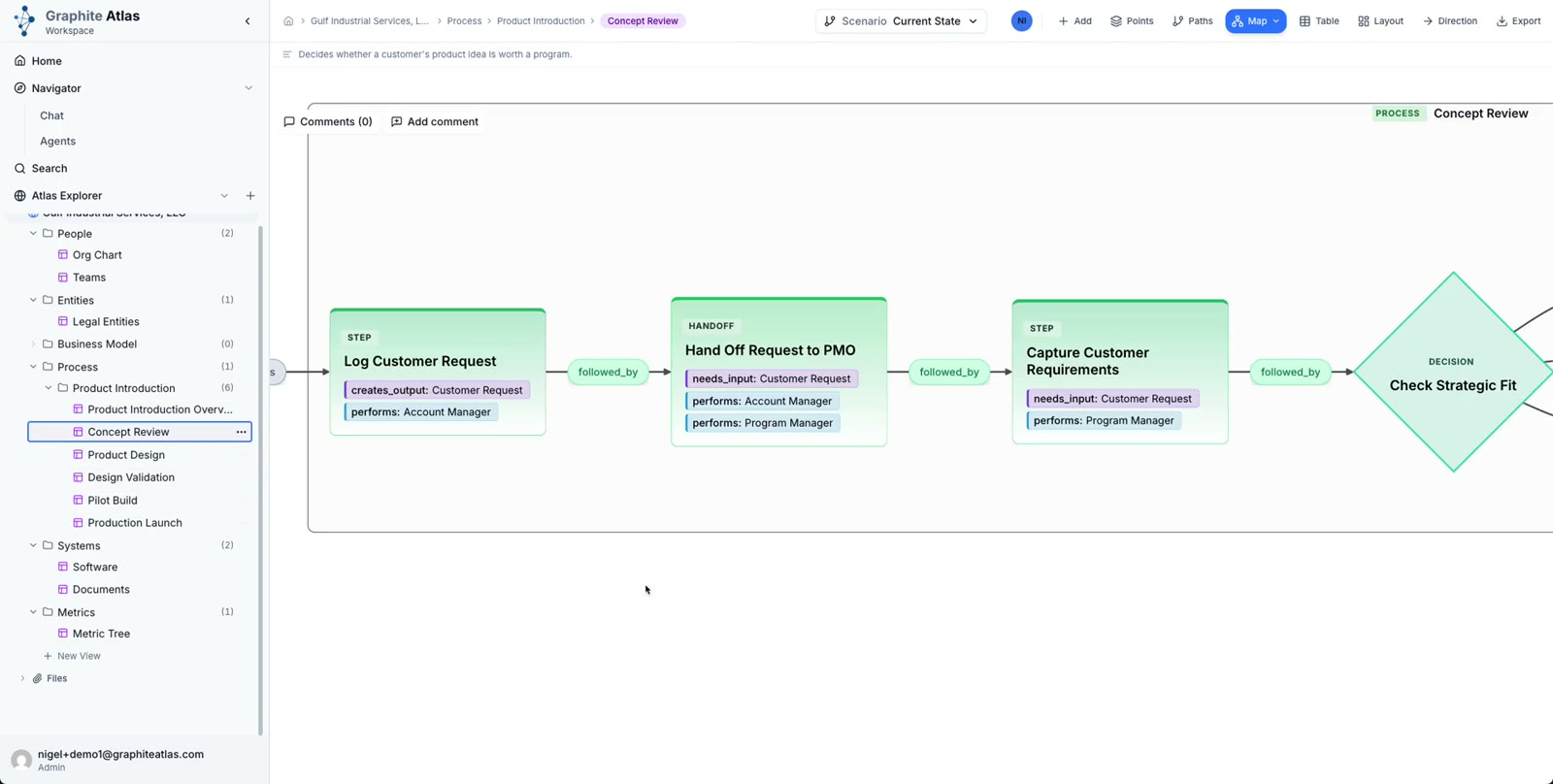
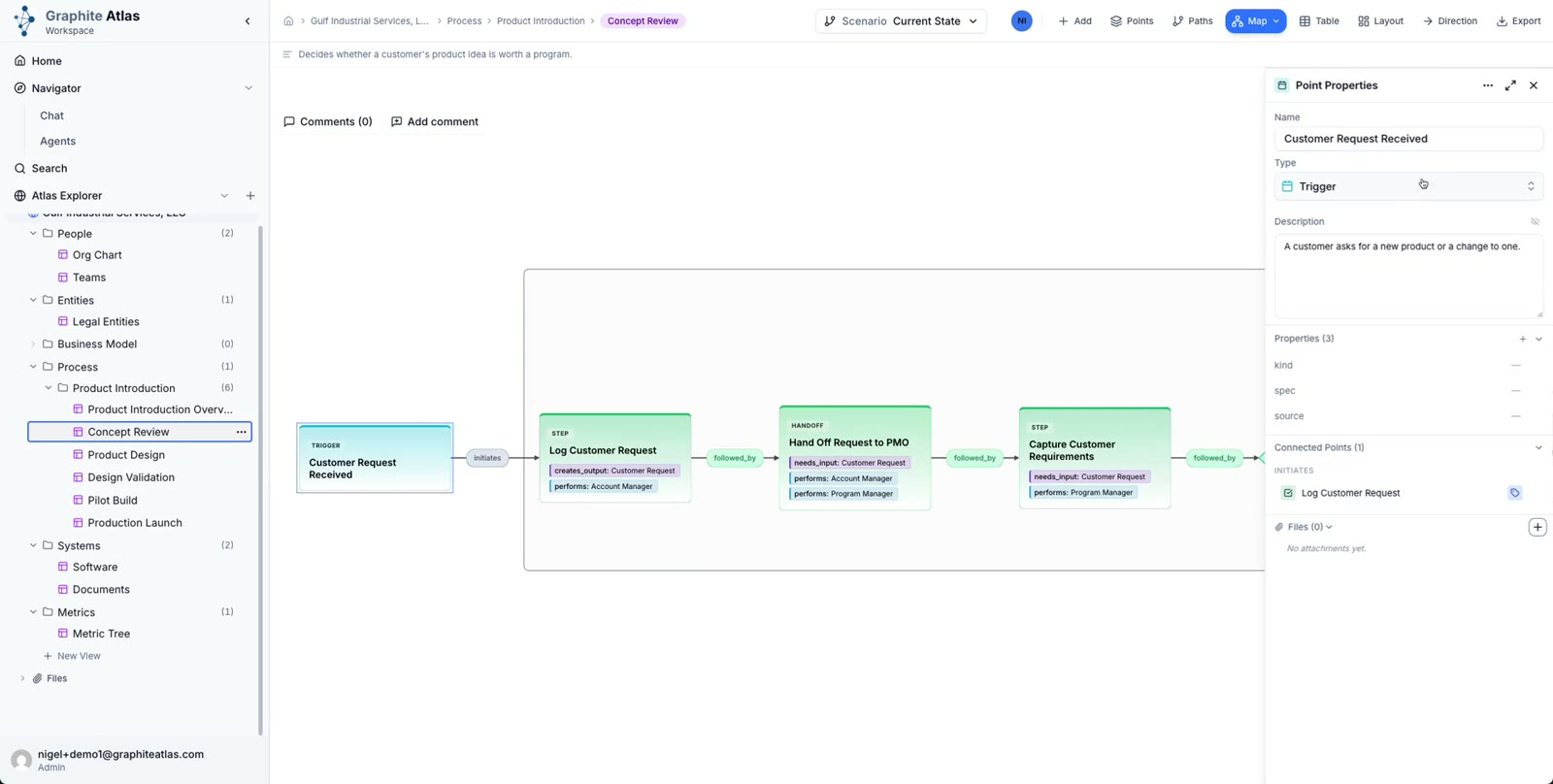
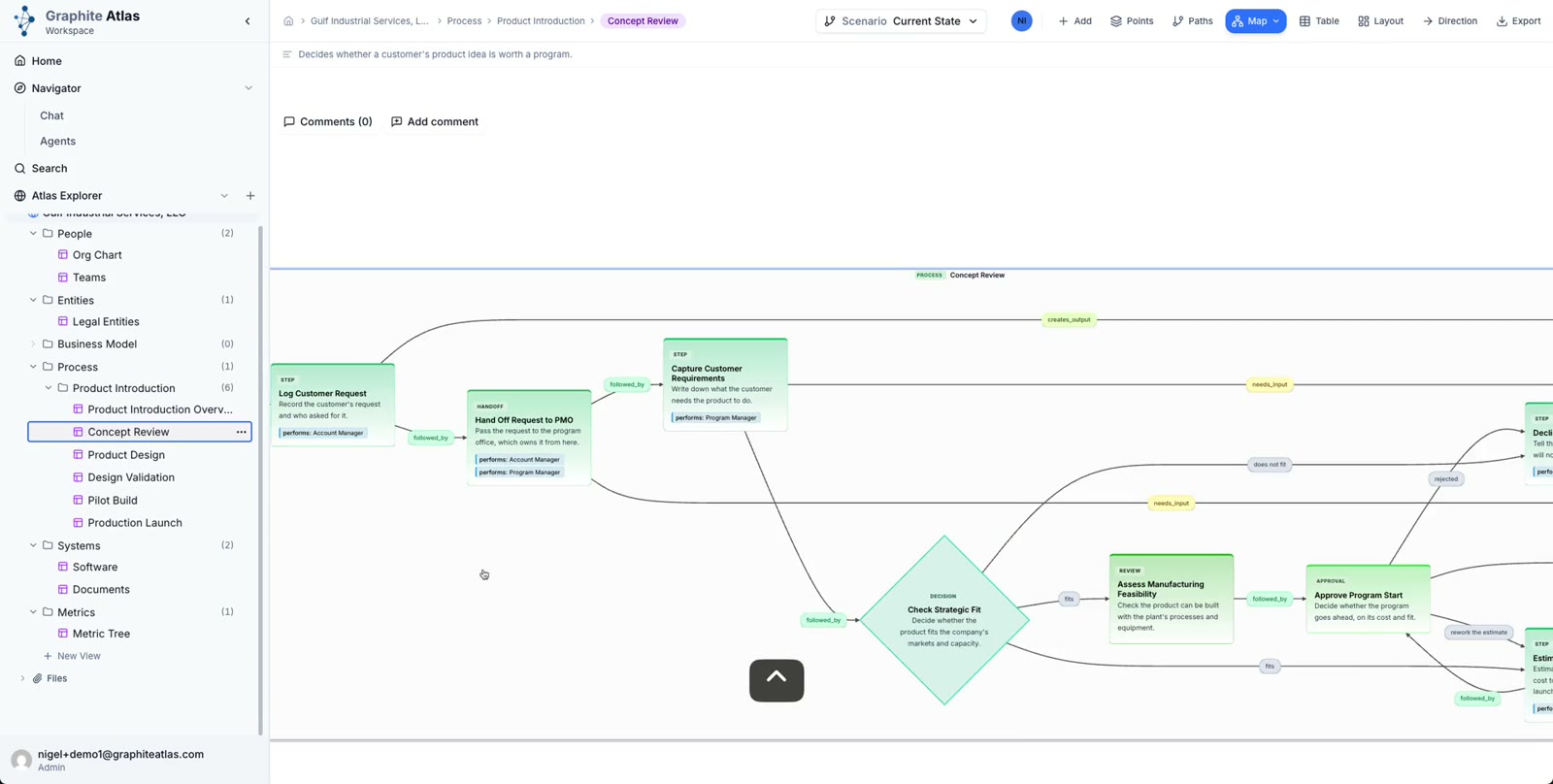
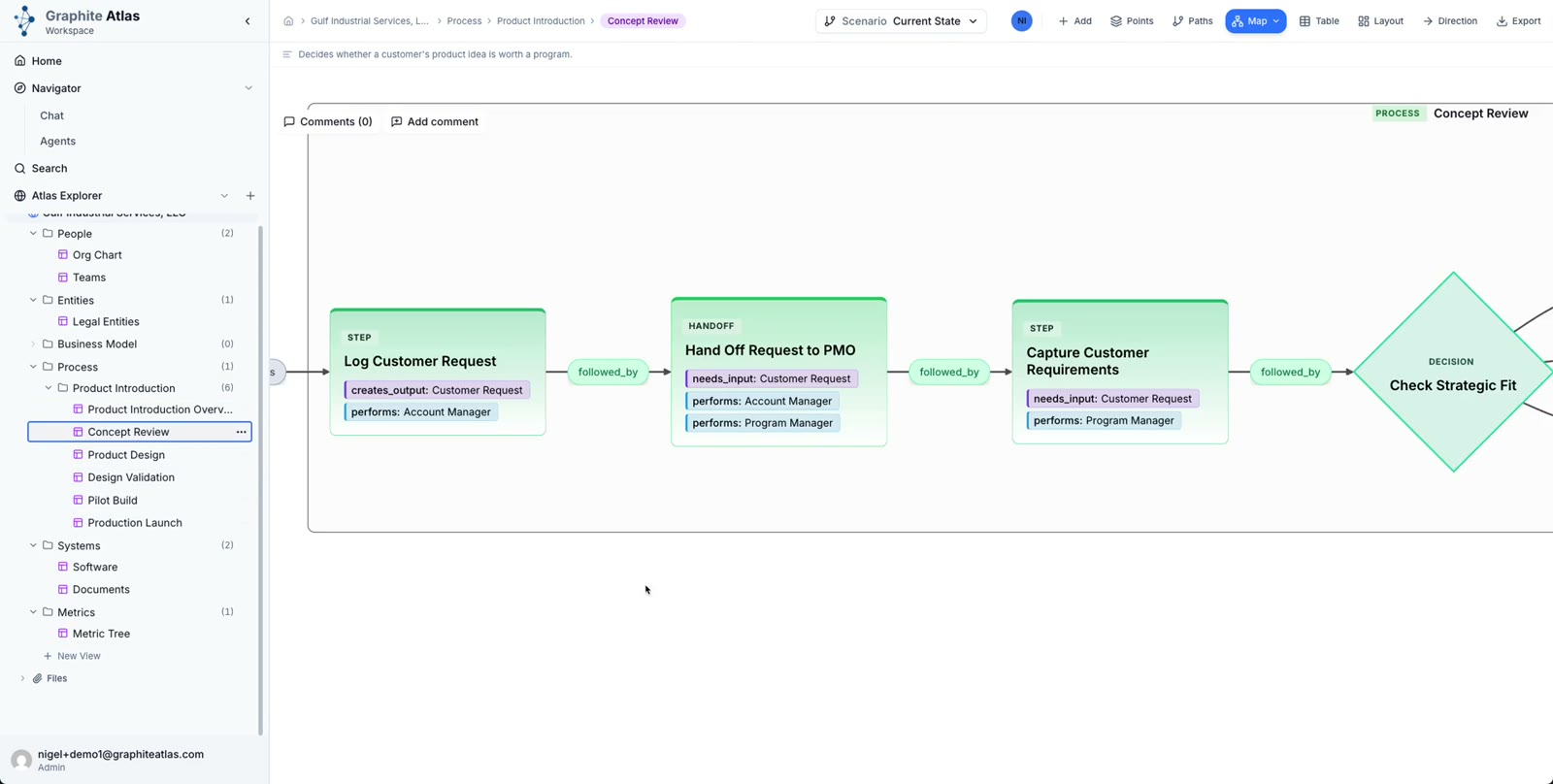
Open the stage's own view, here Concept Review, to see its steps.
A trigger starts the process: Customer Request Received initiates the first step.
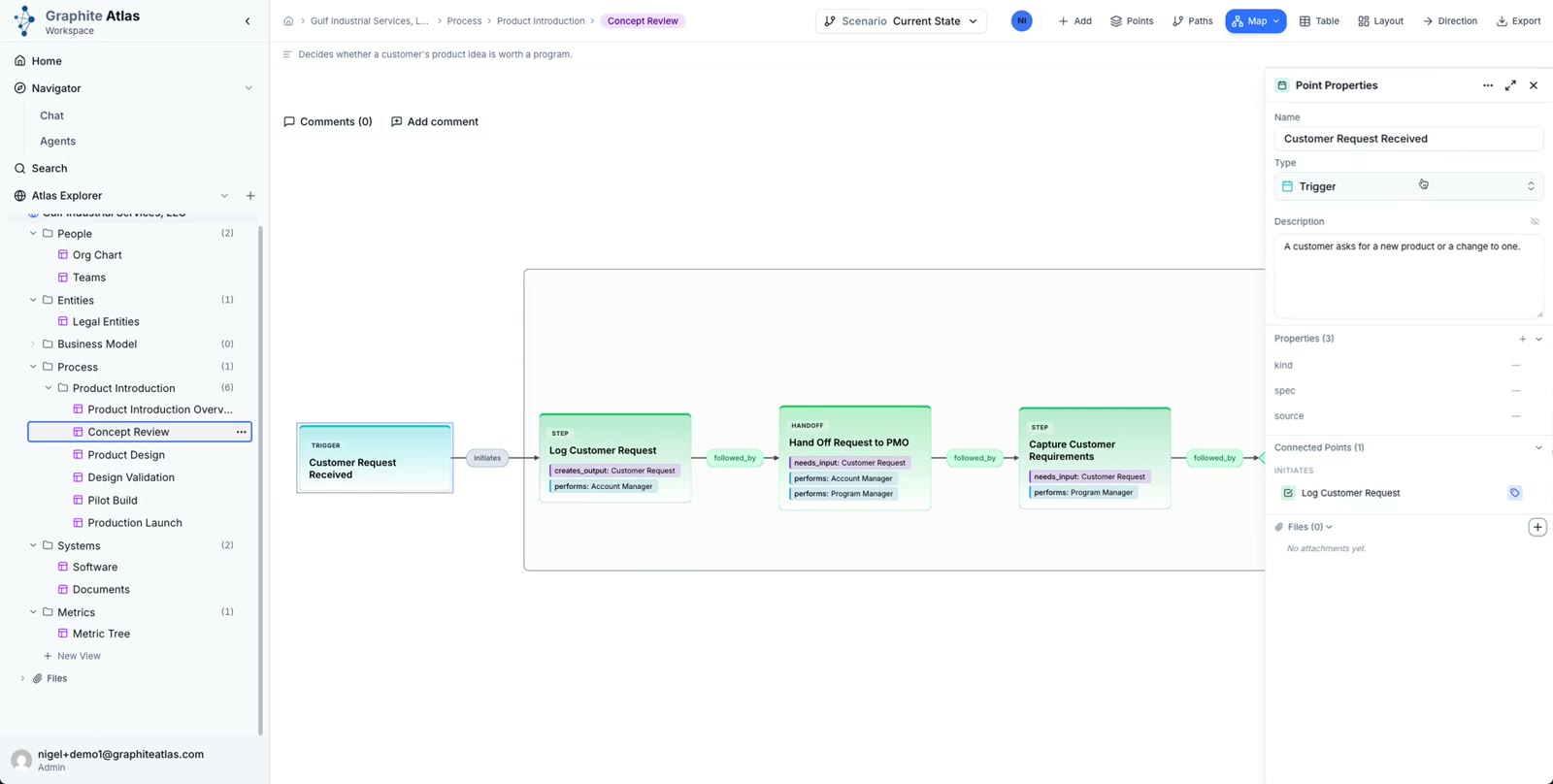
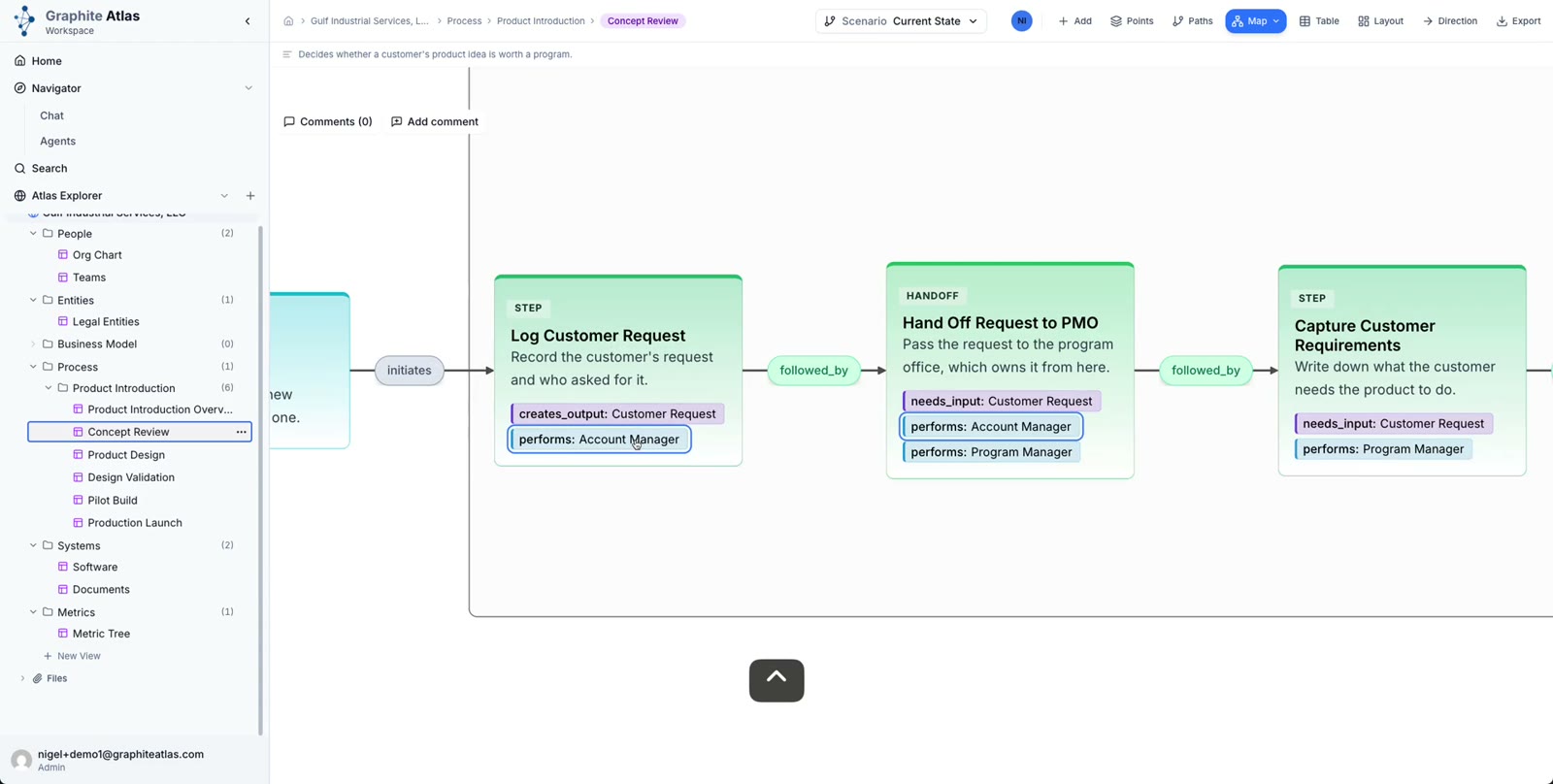
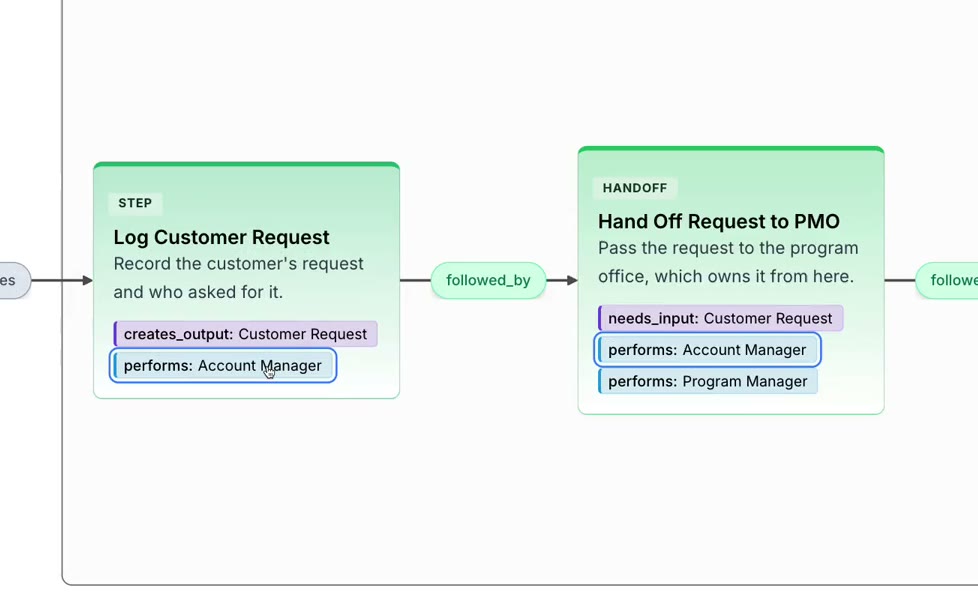
Each step shows what it creates and what it needs. Log Customer Request creates the customer request, which the next step needs.
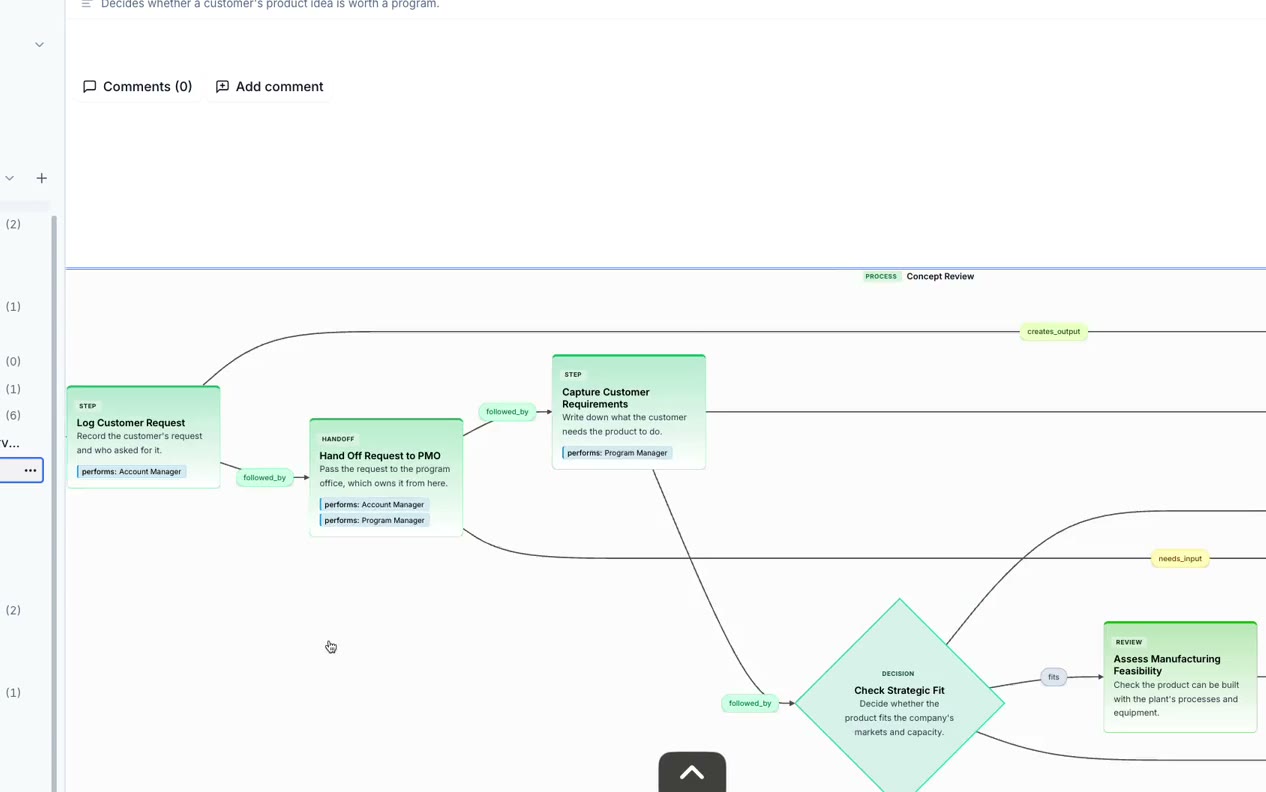
Each step shows who performs it. Expand the performer to see every step they take part in.
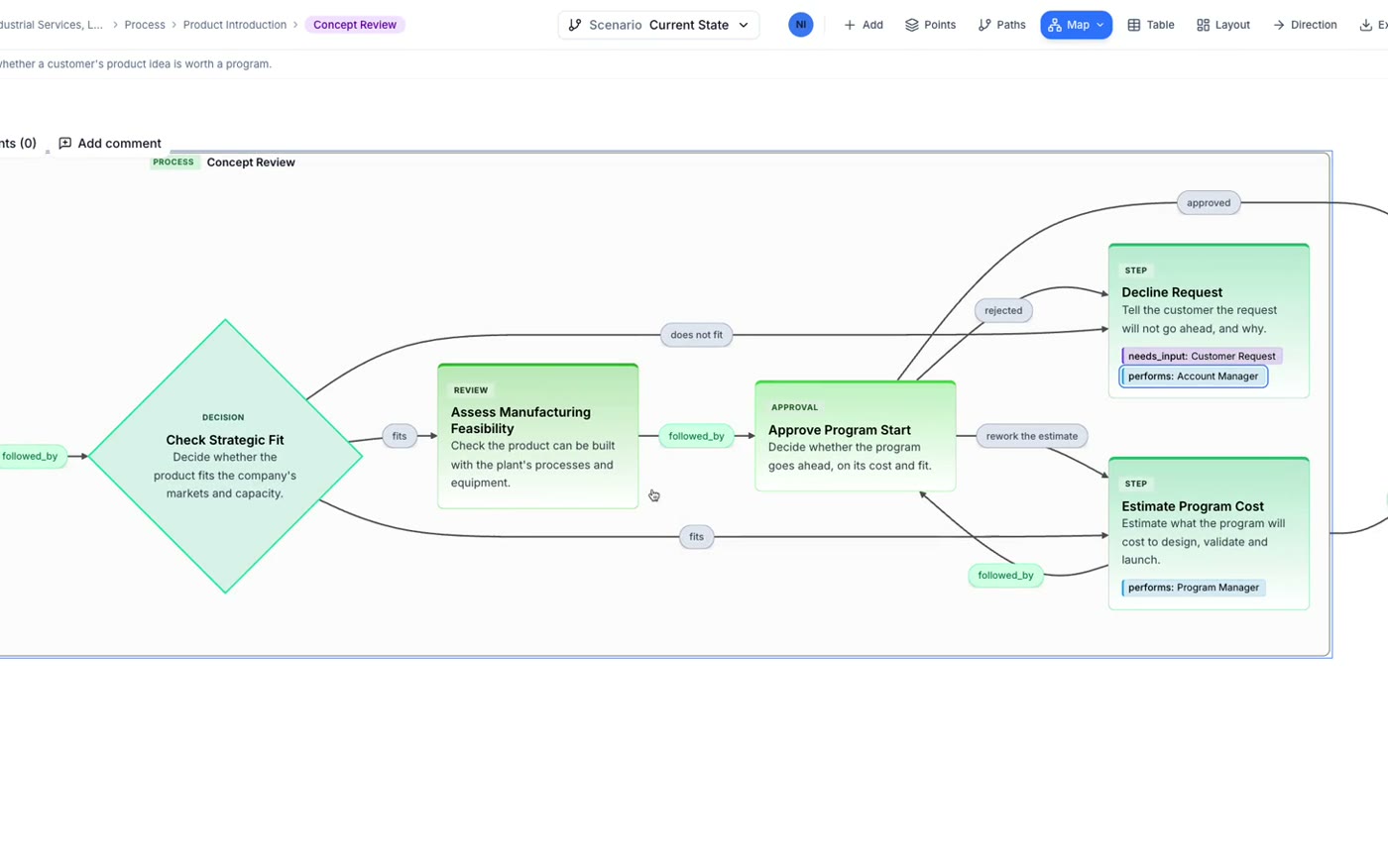
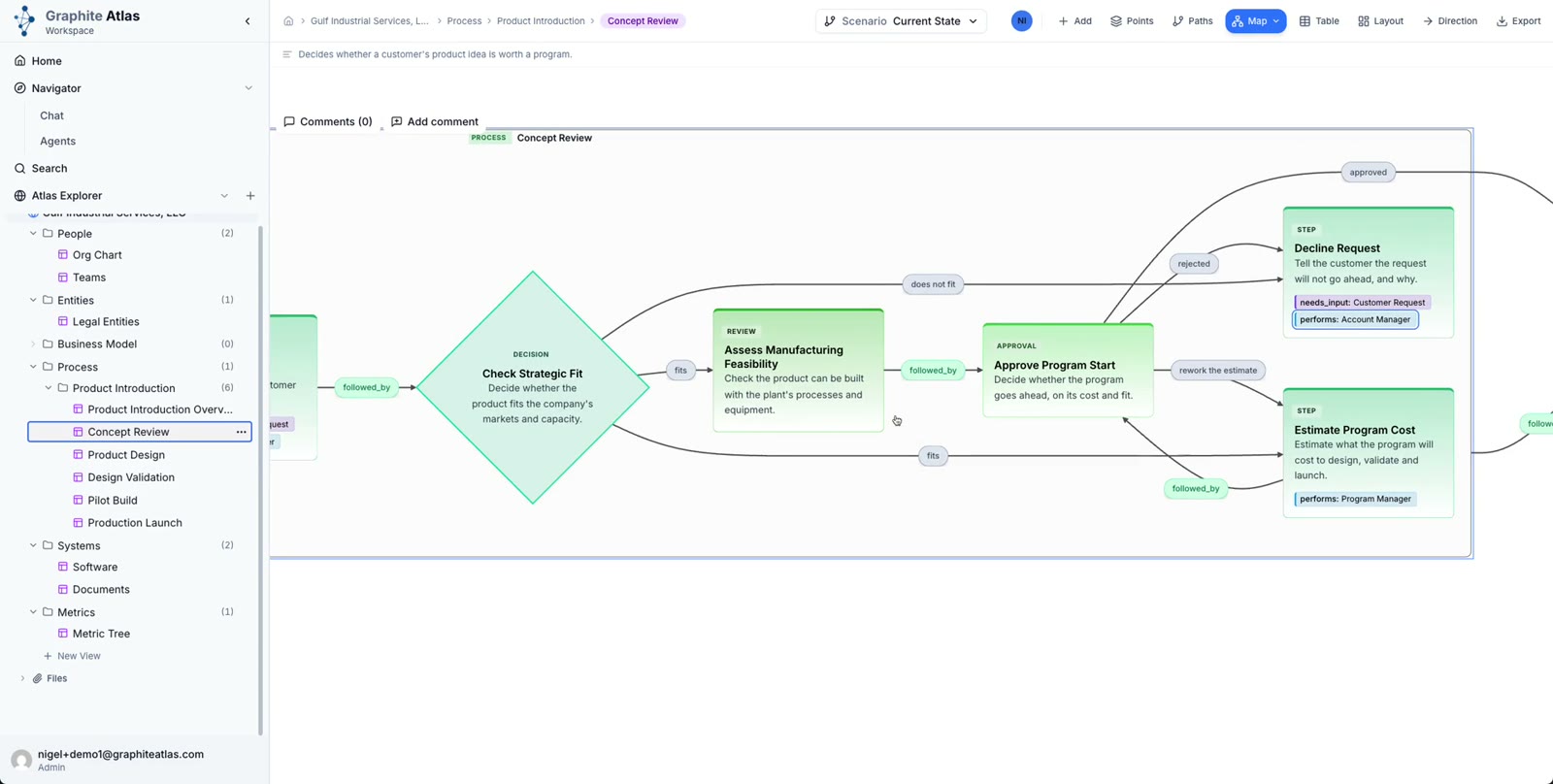
Decisions branch, and each branch carries its condition: fits, does not fit, rework the estimate.